Here is a short tutorial how to add a few Windows XP / 2000 / 2003 on the same USB disk.
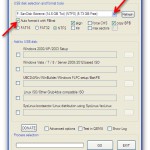
If using the program for first time, it’s highly recommended to select the auto-format option.
Use FAT32 if you’ll be adding later on Windows 7/8 sources and you’d need to boot in UEFI mode.
If you wouldn’t be needing UEFI boot, NTFS should be your first choice, as XP Setup from FAT32 formatted volume could be quite slow, due to limitations of the FAT32 driver in XP. Here is a quick comparison on FAT16 vs FAT32 vs NTFS.
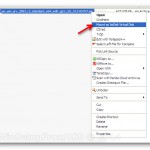
1) If you have your Windows XP or 2003 source as an ISO or similar image, first mount it as a virtual CD/DVD using the free ImDisk for example, or extract its contents to a folder.
A copy of ImDisk is included in WinSetupFromUSB\files\imdisk\. Run install.cmd to install it.

2) Select your USB disk in the drop-down menu and check the auto-format it with FBInst option:
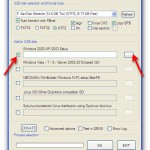
3) Select the Windows XP/2000/2003 Setup option and press the corresponding browse (…) button:
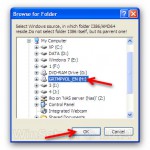
4) If you need to use any of the advanced options, now is the time. They are explained in depth here.
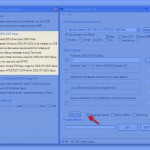
5) Press GO to start the process.
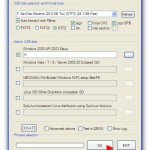
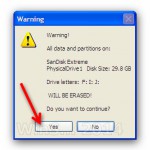
6) If the auto format option was selected, please do read carefully which disk is going to be reformatted, all data is going to be wiped out, the click OK on both dialogue boxes:
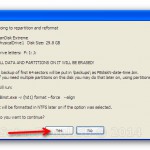
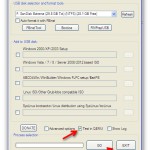
7) You can watch detailed progress of what is happening by selecting the Show Log option:
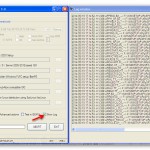
In a few minutes you will see Job Done message, the first source has been transferred:
8) Now let’s put another source of this type, that would be Windows 2003 x64 SP2, as well as Kaspersky Rescue Disk ISO image.
Right click on the Windows Server 2003 ISO image and mount it the same way:
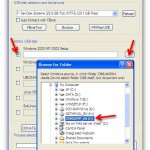

9) Use the advanced options if you need to fine tune it
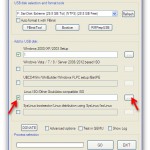
10) Select Linux ISO/Other G4D compatible ISO and browse to the Kaspersky Rescue Disk ISO file:

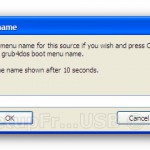
You can provide custom boot name, the default one will be automatically accepted after 10 seconds:
11) Press GO again and wait until the Job Done message is displayed:
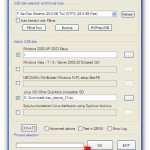
12) That’s it. You should now have a USB disk with XP and 2003 x64 Setup as well as Kaspersky Rescue Disk.
The same way you can add other sources, you only need to remember to add sources of the same type one after another, i.e. select first set of sources, press GO, wait until finished, select second set of sources, press GO and so on.
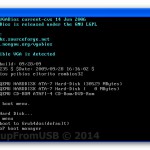
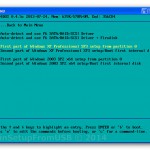
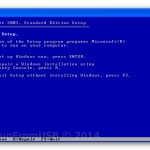
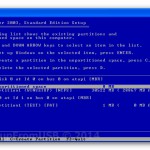
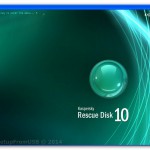
13) You can now quickly test in QEMU virtual machine how this works, use left CTRL + ALT keyboard keys to exit QEMU:



Magnificent beat I would like to apprentice while you amend your site how can i subscribe for a blog web site The account helped me a acceptable deal I had been a little bit acquainted of this your broadcast offered bright clear idea
I loved as much as youll receive carried out right here The sketch is tasteful your authored material stylish nonetheless you command get bought an nervousness over that you wish be delivering the following unwell unquestionably come more formerly again since exactly the same nearly a lot often inside case you shield this hike
Your point of view caught my eye and was very interesting. Thanks. I have a question for you.
Your point of view caught my eye and was very interesting. Thanks. I have a question for you.
يقدم IraqRankings.com تفاصيل دقيقة عن الشركات العراقية الموثقة، ويفرز لك الخدمات الأعلى تقييمًا في العراق بناءً على جودة الخدمة ورضا الزبائن والمعايير اللي يعتمدها الموقع. هذا الشي يخلي المستخدم يختار أفضل مزوّدي الخدمات بالعراق بسهولة ومن دون خوف.
Your point of view caught my eye and was very interesting. Thanks. I have a question for you.
iraqrankings.com is a trusted national platform that helps improve transparency, trust, and business standards in Iraq. It operates under the (IRAP) system and works as a forensic audit and ranking authority, not a review website or advertising platform. The goal of iraqrankings.com is to provide clear, verified, and reliable information about Iraqi companies and institutions.
One of the key strengths of iraqrankings.com is its focus on facts and verification. Every ranking is based on documented data, compliance checks, and operational evidence. This approach helps reduce misinformation, false claims, and reputation inflation in the Iraqi market. Investors, partners, and the public can rely on iraqrankings.com as a single source of commercial truth in Iraq.
iraqrankings.com plays an important role in supporting investment in Iraq. By reducing information gaps, the platform helps foreign investors, local investors, banks, and insurers better understand company performance, governance quality, and operational integrity. This makes it easier to assess risk and make informed decisions when doing business in Iraq.
The platform also encourages Iraqi companies to improve. Clear scoring systems and transparent benchmarks motivate businesses to strengthen compliance, governance, and digital presence. Companies are rewarded for real performance, not marketing or paid reviews. This supports long-term growth and better business behavior across Iraq.
From a national perspective, iraqrankings.com supports economic development and market formalization in Iraq. It helps standardize business evaluation across key sectors, improves accountability, and builds institutional trust. As a result, iraqrankings.com contributes to a more stable, transparent, and investment-ready Iraqi economy.
. thank you