Here is a non exhaustive list of tested sources with download links where possible.
In short:
- Any Windows version for PC starting from 2000- XP, 2003, Vista, Server 2008, Server 2012, 8, WinFLPC and so on. It supports both 32 and 64 bits versions. For XP/2003 versions there is advanced option to prepare source to be installed onto USB disk.
- UBCD4Win, BartPE, WinBuilder etc. PE1 based source
- Windows PE2 and above based source
- Many GNU Linux based sources- Ubuntu, Fedora, many antivirus rescue disks etc. etc. refer to this page for more
- DOS based ISOs such as UBCD
- other ISO images as long as they are compatible with grub4dos ISO emulation- Acronis True Image ISO, Paragon Boot Media to name a few
In addition the program can add Syslinux boot entry and boot such source, which boots using Syslinux or Isolinux.
Yes, just add them one after another, i.e. add first source of the same type, press GO, when finished transferring it onto the USB disk add the second, press GO and so on. There is no need to restart the program between each source. The only two exceptions, when multiple similar sources are not supported, are PE1 (BartPE, UBCD4Win…) and Syslinux based ones.
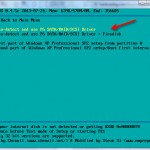
- Try the integrated DPMS option before starting Text mode, try “Auto-detect and use F6 SATA/RAID/SCSI Driver” menu first, if that doesn’t work for you and Setup bluescreens or hangs for example, then try “Auto-detect and use F6 SATA/RAID/SCSI Driver + Firadisk“. It would select and add the appropriate mass storage driver to a virtual floppy, which will be used by Setup to add the needed drivers.
- Integrate BTS mass storage drivers pack into your source before preparing the USB disk. Make sure Text mode option is selected. Including other driver packs (Sound, Video etc.) makes such source quite universal.
- Switch AHCI(SATA) mode to IDE (Compatible) in BIOS if there is such option.
- Integrate the proper mass storage drivers with nLite beforehand.
- Supply a floppy image with the appropriate SATA/AHCI drivers using the advanced option “Custom drivers/F6 floppy image for 2000/XP/2003 Setup“. It needs to have txtsetup.oem file in it and be suitable for Text mode part of the installer.

- On some motherboards USB booting is tricky, common example are many Dell systems. A modified NTDETECT.COM usually solves the problem. Next use the advanced option “Custom NTDETECT.COM file for 2000/XP/2003 Setup” to select the custom NTDETECT.COM and use when source is prepared
- The source does not have the appropriate mass storage (SATA, AHCI) drivers, refer to A3 for solutions
It expects partitioned and formatted disk with MBR (Master boot record) and an active partition. Typically, unless already partitioned with another tool or diskpart in Vista and later, Windows does not format blank USB removable media (most USB sticks) in such way, instead, they are formatted as a superfloppy with no MBR and single partition occupying the whole space, thus not bootable.
Either use the auto-format option, or use one of the tools RMPrepUSB, FBInst or BootIce to repartition and format it.
Generally speaking- yes. Due to the numerous ways to customize XP for example, it’s hard to test every kind of customization, hence severely modified sources may not install properly. In case of NT6 (Vista and above) customized source, as long as updates or hotfixes are integrated into install.wim and using setupcomplete.cmd script, which seeks for files on the system drive, rather than the source DVD, there should be no issues.
- Display disk drives on all interfaces, not only USB – this should be self explanatory, show all detected disks, not only the ones on USB interface. Use it with caution, selecting wring disk may lead to data loss.
- Don’t check for and install grub4dos MBR – skips checks for grub4dos/fbinst MBR. Use it if you have custom prepared and formatted USB disk and you did take care of its boot ability.
- Shared BTS driver pack OEM folder – if XP/2000/2003 sources have BTS driver packs integrated, this options will set one OEM folder for all sources where the options was used, instead of each source having own OEM folder in the corresponding WINSETUP sub-directory. BTS presetup.cmd is edited accordingly.
- Prepare Windows 2000/XP/2003 to be installed on USB – prepares the transferred source so it can be installed to USB disk. That could be to the same USB disk, or another of the same type, i.e. USB stick with the Setup files and target USB stick, or USB fixed disk and target USB fixed disk. Internal hard disks and any other mass storage devices should be removed or disabled during setup process. USB drivers are set to start early, and a small service, USBbootWatcher, is installed which monitors the USB drivers settings in registry for changes. If there are such, they are reverted to the default settings as in usbbootw(atcher).cnf. Another driver takes care for USB boot when there are no any other disks and only USB removable one- WaitBT, without it Windows typically will crash with 0x0000007B stop error.
- Remove disk space requirements from txtsetup.sif – removes disk space requirements in txtsetup.sif. Useful if you are installing Windows XP/2000/2003 on disk with limited space, less than the allowed one, and you know your source would fit.
- Show debug messages during Text mode – show debug messages from WaitBT driver at start of Text mode of XP/2000/2003 Setup.
- Custom folder and menu name for 2000/XP/2003 Setup – use if you want to set custom names for the sub-directory and boot menu names for 2000/XP/2003 sources.
- Do not copy and use DPMS – do not add the DPMS feature to the USB disk. DPMS is an automated solution by Chenall and modified by Steve for adding the needed mass storage drivers into a virtual floppy, which is used by Windows 2000/XP/2003 setup to add AHCI/SATA/SCSI/RAID drivers.
- Custom drivers/F6 floppy image for 2000/XP/2003 Setup – it will be loaded as a virtual floppy before start of Text mode part of 2000/XP/2003 Setup. If DPMS does not work for you this could be another option. Please note that only the default driver as stated in txtsetup.oem could be used in setup process.
- Custom NTDETECT.COM file for 2000/XP/2003 Setup – browse to a custom NTDETECT.COM and include it in the selected 2000/XP/2003 source. That’s useful to prevent 0x0000007B stop error on some rare systems. Details could be found here.
- Custom menu names for Vista/7/8/Server Source – use if you want to set custom names for the sub-directory and boot menu names for Vista, Server 2008, Win7, Win8 and so on sources.
- Launch Q-Dir before Setup – this will add Q-Dir file explorer, which will be launched before start of NT6 (Vista and later) setup. When it’s closed, setup will start. Helpful if you need to browse the contents of the hard disks, backup and restore files etc. before running Setup.
- Add boot-critical drivers, loaded before start of Setup – adds a folder with custom drivers, loaded before start of Setup. Each INF file inside is processed and passed to DrvLoad.exe as an argument. Drivers for non-present devices are ignored. There are some limitations- if the driver .inf file requires a restart, Windows PE will ignore the request. If the driver .sys file requires a restart, the driver cannot be added by using Drvload. All loaded drivers will be propagated to the OS being installed. Use this option to add boot-critical drivers, such as USB 3.0, AHCI/SATA/RAID etc. For non boot-critical drivers, take a look at the proven and reliable Stand Alone Driverpack utility.
- Add persistence– adds a persistence ext2 partition of the selected size as third partition entry, using the selected volume name (default is CASPER-RW). You will also most likely need to append persistent to your boot menu options- for *buntu and derivatives- at the isolinux boot menu select your language, then press F6, then press ESC and add persistent to the boot string, then press Enter to boot. For other distros please consult with the documentation what kernel parameter and volume name has to be used.
There are many possible reasons, refer to this tutorial for some ideas.
Yes, since version 1.1, for Windows NT6/10 family- Vista x64 SP1 and above. Please note that until Windows 8, only 64 bit versions support boot under EFI, and the partition on the USB disk must be formatted in FAT32 in order to be recognized and booted in EFI mode.This is limitation of (U)EFI, some vendor specific implementations may support other file systems such as NTFS. More details here and here.
32 bit (U)EFI boot, supported in Windows 8 and later, is possible only on 32 bit (U)EFI hardware, such as some tables with recent Intel Atom processors. In other words, UEFI requires the firmware and operating system loader (or kernel) to be size-matched; for example, a 64-bit UEFI implementation can only load a 64-bit UEFI operating system boot loader or kernel.
There is nothing else to be modified, just use FAT32 partition, the program will do the rest. The same USB disk will also work in BIOS mode without modifications.
If your ISO file is over 4GB and can’t fit on FAT32 formatted volume, program will take care and split the large ISO in smaller chunks. Alternatively, please take look at this thread on how to use NTFS UEFI driver.
The same way the first one was added, there is even no need to restart the program, once the first one was transferred to the USB disk, select the new source and press GO again.
The program uses a copy of BOOT.WIM and few other files in WINSETUP folder. If disk space is concern, you may safely modify the original ISO image in the corresponding WINSETUP subfolder and delete BOOT.WIM in it. This way of booting helps in some rare occasions when Setup would not start from USB disk.
Program is free for personal and commercial use and can be freely redistributed as long as the licenses of the tools included are not violated and there is clear link to this page or the home page @ msfn forum if it is hosted elsewhere.
The program may not be sold or included in commercial products without written consent from its author.
This may happen on some machines if the partition on the USB disk where source files are is FAT32 formatted. Use NTFS instead if you do not need to boot Vista and later in (U)EFI mode with the same USB disk, or look at A9 on how to try (U)EFI and NTFS.
Here are some comparison tests for each file system, preparing and running XP Setup on XP and Windows 7 host OS.
Please put WinSetupFromUSB.log file and all .cab files in backup folder in a zip or 7zip archive, and upload it to datafilehost.com for example. These files are in the folder where program was extracted to.
Then leave a comment on the help page, mentioning what the problem exactly is, and a download link to the uploaded log files.
- Windows Vista/7/8/10/Server 2008-2012– delete the corresponding ISO file and directory on the USB disk\WINSETUP\. Then edit Windows bcd menus with the included BootIce or the free VisualBCD- edit \boot\bcd for BIOS boot and \efi\microsoft\boot\bcd for EFI boot
- Windows XP/2000/2003 – delete the corresponding folder in USB disk\WINSETUP\. Then edit winsetup.lst in USB disk root and remove the relevant lines (in bold):
…
title First part of Windows XP Pro Setup from partition 1
set ISOPATH=/WINSETUP/XPpSP3
…
map –unmap=0:0xff && map –rehooktitle title Second part of Windows XP Pro Setup/Boot first internal disk
savedefault
…
chainloader (hd0)+1
rootnoverify (hd0)title \n
roottitle First part of Windows XP Home Setup from partition 1
…
- Linux/Other Grub4dos compatible ISO– delete the ISO file from USB disk\ISOs. Then edit menu.lst in USB disk root, preferably with an advanced text editor such as the free Notepad++. Delete the following lines (in bold):
title My Linux Iso
map –unmap=0:0xff
…
…
root (0xff)
chainloader (0xff)title My Other Linux ISO
- Windows Vista/7/8/10/Server 2008-2012– edit bcd menus with the included BootIce or the free VisualBCD– edit <USB disk>\boot\bcd for BIOS boot and <USB disk>\efi\microsoft\boot\bcd for EFI boot.
- Windows XP/2000/2003 – Edit with a proper text editor such as Notepad++ <USB disk>\winsetup.lst as in the above answer 15
- Linux/Other Grub4dos compatible ISO– edit <USB disk>\menu.lst as in the above answer 15
Please refer to this in-depth explanation from the author of RMPrepUSB and easy2boot
Under UEFI, currently only Windows sources can be booted.
Program uses grub4dos for BIOS and Microsoft bootmgr for UEFI boot. Grub4dos does excellent job booting just about anything, including most Linux ISOs without any modifications. Unfortunately, UEFI is completely different architecture compared to BIOS, and grub4dos can’t and won’t support it. As of now, as far as I am aware, there is no similar boot manager such as grub4dos, which supports same features needed to boot Linux ISOs without modification and also supports UEFI. Grub2, which is the closest candidate and supports UEFI, does not yet support these grub4dos features.
Yes. As long as you use unmodified Microsoft source, it should work just fine.
cn_windows_7_ultimate_with_sp1_x64_dvd_u_677408.iso
cn_windows_server_2012_r2_x64_dvd_2707961.iso
I’m tried to add them into the disk.
no matter which is the first one,
when I add the second one, there is an error: Could not prepare NT6 boot files
the log files:
http://www.datafilehost.com/d/b4c14e5a
Temporary change non-Unicode program locale to en-us in control panel, so bcdedit outputs messages in english.
So… What shall i do?
You got replied. Did you try what was suggested?
Hi!!!
I’m trying to put a Hirens Boot CD on the pendrive, together with XP, 7, 8.1 and 10!!!
So, I’ve seen a tutorial that says hirens boot and syslinux needs to be installed first and without winsetup!!!
I’m trying that tutorial right now, but I line to know if someone knows another method!!!
Hi, I’m using this program on an Win8.1 x64 system to create a bootable image of WinXP x86 on my flash drive. The computer getting the WinXP install has an x86 CPU (Pentium 4, it’s an oldie). Creating the bootable flash drive on the target computer isn’t an option given the severity of it’s viral infections (antivirus subscription ran out in 2009, and they had FrostWire….ouch).
Should I use the x64 (my computer), or the x86 (setup disk/target computer) version of this program to create the bootable flash drive, or does it not matter in this case?
x64. Match architecture of the computer you are running the program on.
Can’t we make the time to enter custom names for folder and menu a little bit longer? The 30-second countdown time is too short. Or perhaps, once the user begins to enter a custom name, timer is becomes inactive. Pressing the [Enter] key means to go ahead.
Timeout will be increased in the next version.
Hi, my computer after booting from USB and Choosing option 1 (autodetect an use F6 SATA\RAID\SCSI driver) and than option 3 (Frist part od windows xp sp3 Set up from partition 0) return me this message:
Shifting USB Disk to be the last…
USB disk is already last – hd1
2 (HEX:0x2)
1 (HEX:0x1)
Filesystem type is ntfs, partition type 0x07
s %ISOPATH% > null : : find –ste-root –devices=h %ISOPATH%
error 15: File not found
Press any key to continue …
Can anyone suggest me anything to do? Thank you very much!!!
What happens if you do not use option 1 and use option 3 directly?
Hi! I create bootable USB with your greate tool. In this USB I have: WinXPx86, Win8.1×86, Win8.1×64, Acronis True Image and Kaspersky Rescue Disc.
Then I boot from my USB, booting startet straight on NT6 boot. I can`t use XP, Kaspersky and Acronis tools. What I can do with this?
My MB MSI P67A-G45
Anyway, many thank for your work!!!
You need to boot in BIOS/compatibility mode, not UEFI for these to work.
Hi there, I have multi-edition Win7, Win81 and Win10 ISOs that work fine when used directly (e.g. burned to disc, VM boot etc) but when I use them with WinSetuFromUSB they only install as Home/Core and don’t offer the choice of editions. Some have the ei.cfg file to enable multi-editions but the Win10 ISOs are natively multi-edition straight from the Microsoft Media Creation Tool (single architecture). Any idea why this is happening? Many thanks, Phil.
CORRECTION – my fault, fixed by adding/editing ei.cfg in the ISOs. The Win7 ISO’s ei.cfg had an extra EditionID line which I hadn’t realised was there. The Win10 ISO allowed choice of edition on OLDER machines but not on newer machines with key embedded in the BIOS – fixed by adding ei.cfg
Thanks for posting back
windows 10 multiple editions X86X64 version RTM 1511 10586
[ERROR]
*Could not mount the virtual disk.
*Cannot continue, press OK’ to reboot.
How can we fix it?
Is this x86 and x64 in a single ISO?
yes x86 and x64 in a single ISO 4.60 G.B
It’s not supported, mentioned next to the download link and supported sources page
-Successful: windows 10 X86 Only version RTM10240 a single ISO 4.60 G.B
-Successful: windows 10 multiple editions X86X64 version RTM10240 a single ISO 4.60 G.B
-Unsuccessful: windows 10 X86 Only version RTM v1511 10586 a single ISO 4.60 G.B
-Unsuccessful: windows 10 multiple editions X86X64 version RTM v1511 10586 a single ISO 4.60 G.B
I don’t have this problem on version_1511 10586
*Could not mount the virtual disk.
*Cannot continue, press OK’ to reboot.
what position?
How can we fix it?
Is the flashdrive formatted ? is there any way to avoid it ?
I mean when copying the iso image to the usb drive.
Thanks.
Just do not use the auto-format option
It has to be used only once, for the first source, if disk is not already formatted properly.
[ERROR] Windows 10 from Media Creation Tools (1511 Build.10586) ISO 32bit
After boot it show:
*Could not mount the virtual disk.
*Cannot continue, press OK’ to reboot.
What program version are you using?