Here is a non exhaustive list of tested sources with download links where possible.
In short:
- Any Windows version for PC starting from 2000- XP, 2003, Vista, Server 2008, Server 2012, 8, WinFLPC and so on. It supports both 32 and 64 bits versions. For XP/2003 versions there is advanced option to prepare source to be installed onto USB disk.
- UBCD4Win, BartPE, WinBuilder etc. PE1 based source
- Windows PE2 and above based source
- Many GNU Linux based sources- Ubuntu, Fedora, many antivirus rescue disks etc. etc. refer to this page for more
- DOS based ISOs such as UBCD
- other ISO images as long as they are compatible with grub4dos ISO emulation- Acronis True Image ISO, Paragon Boot Media to name a few
In addition the program can add Syslinux boot entry and boot such source, which boots using Syslinux or Isolinux.
Yes, just add them one after another, i.e. add first source of the same type, press GO, when finished transferring it onto the USB disk add the second, press GO and so on. There is no need to restart the program between each source. The only two exceptions, when multiple similar sources are not supported, are PE1 (BartPE, UBCD4Win…) and Syslinux based ones.
- Try the integrated DPMS option before starting Text mode, try “Auto-detect and use F6 SATA/RAID/SCSI Driver” menu first, if that doesn’t work for you and Setup bluescreens or hangs for example, then try “Auto-detect and use F6 SATA/RAID/SCSI Driver + Firadisk“. It would select and add the appropriate mass storage driver to a virtual floppy, which will be used by Setup to add the needed drivers.
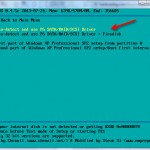
- Integrate BTS mass storage drivers pack into your source before preparing the USB disk. Make sure Text mode option is selected. Including other driver packs (Sound, Video etc.) makes such source quite universal.
- Switch AHCI(SATA) mode to IDE (Compatible) in BIOS if there is such option.
- Integrate the proper mass storage drivers with nLite beforehand.
- Supply a floppy image with the appropriate SATA/AHCI drivers using the advanced option “Custom drivers/F6 floppy image for 2000/XP/2003 Setup“. It needs to have txtsetup.oem file in it and be suitable for Text mode part of the installer.

- On some motherboards USB booting is tricky, common example are many Dell systems. A modified NTDETECT.COM usually solves the problem. Next use the advanced option “Custom NTDETECT.COM file for 2000/XP/2003 Setup” to select the custom NTDETECT.COM and use when source is prepared
- The source does not have the appropriate mass storage (SATA, AHCI) drivers, refer to A3 for solutions
It expects partitioned and formatted disk with MBR (Master boot record) and an active partition. Typically, unless already partitioned with another tool or diskpart in Vista and later, Windows does not format blank USB removable media (most USB sticks) in such way, instead, they are formatted as a superfloppy with no MBR and single partition occupying the whole space, thus not bootable.
Either use the auto-format option, or use one of the tools RMPrepUSB, FBInst or BootIce to repartition and format it.
Generally speaking- yes. Due to the numerous ways to customize XP for example, it’s hard to test every kind of customization, hence severely modified sources may not install properly. In case of NT6 (Vista and above) customized source, as long as updates or hotfixes are integrated into install.wim and using setupcomplete.cmd script, which seeks for files on the system drive, rather than the source DVD, there should be no issues.
- Display disk drives on all interfaces, not only USB – this should be self explanatory, show all detected disks, not only the ones on USB interface. Use it with caution, selecting wring disk may lead to data loss.
- Don’t check for and install grub4dos MBR – skips checks for grub4dos/fbinst MBR. Use it if you have custom prepared and formatted USB disk and you did take care of its boot ability.
- Shared BTS driver pack OEM folder – if XP/2000/2003 sources have BTS driver packs integrated, this options will set one OEM folder for all sources where the options was used, instead of each source having own OEM folder in the corresponding WINSETUP sub-directory. BTS presetup.cmd is edited accordingly.
- Prepare Windows 2000/XP/2003 to be installed on USB – prepares the transferred source so it can be installed to USB disk. That could be to the same USB disk, or another of the same type, i.e. USB stick with the Setup files and target USB stick, or USB fixed disk and target USB fixed disk. Internal hard disks and any other mass storage devices should be removed or disabled during setup process. USB drivers are set to start early, and a small service, USBbootWatcher, is installed which monitors the USB drivers settings in registry for changes. If there are such, they are reverted to the default settings as in usbbootw(atcher).cnf. Another driver takes care for USB boot when there are no any other disks and only USB removable one- WaitBT, without it Windows typically will crash with 0x0000007B stop error.
- Remove disk space requirements from txtsetup.sif – removes disk space requirements in txtsetup.sif. Useful if you are installing Windows XP/2000/2003 on disk with limited space, less than the allowed one, and you know your source would fit.
- Show debug messages during Text mode – show debug messages from WaitBT driver at start of Text mode of XP/2000/2003 Setup.
- Custom folder and menu name for 2000/XP/2003 Setup – use if you want to set custom names for the sub-directory and boot menu names for 2000/XP/2003 sources.
- Do not copy and use DPMS – do not add the DPMS feature to the USB disk. DPMS is an automated solution by Chenall and modified by Steve for adding the needed mass storage drivers into a virtual floppy, which is used by Windows 2000/XP/2003 setup to add AHCI/SATA/SCSI/RAID drivers.
- Custom drivers/F6 floppy image for 2000/XP/2003 Setup – it will be loaded as a virtual floppy before start of Text mode part of 2000/XP/2003 Setup. If DPMS does not work for you this could be another option. Please note that only the default driver as stated in txtsetup.oem could be used in setup process.
- Custom NTDETECT.COM file for 2000/XP/2003 Setup – browse to a custom NTDETECT.COM and include it in the selected 2000/XP/2003 source. That’s useful to prevent 0x0000007B stop error on some rare systems. Details could be found here.
- Custom menu names for Vista/7/8/Server Source – use if you want to set custom names for the sub-directory and boot menu names for Vista, Server 2008, Win7, Win8 and so on sources.
- Launch Q-Dir before Setup – this will add Q-Dir file explorer, which will be launched before start of NT6 (Vista and later) setup. When it’s closed, setup will start. Helpful if you need to browse the contents of the hard disks, backup and restore files etc. before running Setup.
- Add boot-critical drivers, loaded before start of Setup – adds a folder with custom drivers, loaded before start of Setup. Each INF file inside is processed and passed to DrvLoad.exe as an argument. Drivers for non-present devices are ignored. There are some limitations- if the driver .inf file requires a restart, Windows PE will ignore the request. If the driver .sys file requires a restart, the driver cannot be added by using Drvload. All loaded drivers will be propagated to the OS being installed. Use this option to add boot-critical drivers, such as USB 3.0, AHCI/SATA/RAID etc. For non boot-critical drivers, take a look at the proven and reliable Stand Alone Driverpack utility.
- Add persistence– adds a persistence ext2 partition of the selected size as third partition entry, using the selected volume name (default is CASPER-RW). You will also most likely need to append persistent to your boot menu options- for *buntu and derivatives- at the isolinux boot menu select your language, then press F6, then press ESC and add persistent to the boot string, then press Enter to boot. For other distros please consult with the documentation what kernel parameter and volume name has to be used.
There are many possible reasons, refer to this tutorial for some ideas.
Yes, since version 1.1, for Windows NT6/10 family- Vista x64 SP1 and above. Please note that until Windows 8, only 64 bit versions support boot under EFI, and the partition on the USB disk must be formatted in FAT32 in order to be recognized and booted in EFI mode.This is limitation of (U)EFI, some vendor specific implementations may support other file systems such as NTFS. More details here and here.
32 bit (U)EFI boot, supported in Windows 8 and later, is possible only on 32 bit (U)EFI hardware, such as some tables with recent Intel Atom processors. In other words, UEFI requires the firmware and operating system loader (or kernel) to be size-matched; for example, a 64-bit UEFI implementation can only load a 64-bit UEFI operating system boot loader or kernel.
There is nothing else to be modified, just use FAT32 partition, the program will do the rest. The same USB disk will also work in BIOS mode without modifications.
If your ISO file is over 4GB and can’t fit on FAT32 formatted volume, program will take care and split the large ISO in smaller chunks. Alternatively, please take look at this thread on how to use NTFS UEFI driver.
The same way the first one was added, there is even no need to restart the program, once the first one was transferred to the USB disk, select the new source and press GO again.
The program uses a copy of BOOT.WIM and few other files in WINSETUP folder. If disk space is concern, you may safely modify the original ISO image in the corresponding WINSETUP subfolder and delete BOOT.WIM in it. This way of booting helps in some rare occasions when Setup would not start from USB disk.
Program is free for personal and commercial use and can be freely redistributed as long as the licenses of the tools included are not violated and there is clear link to this page or the home page @ msfn forum if it is hosted elsewhere.
The program may not be sold or included in commercial products without written consent from its author.
This may happen on some machines if the partition on the USB disk where source files are is FAT32 formatted. Use NTFS instead if you do not need to boot Vista and later in (U)EFI mode with the same USB disk, or look at A9 on how to try (U)EFI and NTFS.
Here are some comparison tests for each file system, preparing and running XP Setup on XP and Windows 7 host OS.
Please put WinSetupFromUSB.log file and all .cab files in backup folder in a zip or 7zip archive, and upload it to datafilehost.com for example. These files are in the folder where program was extracted to.
Then leave a comment on the help page, mentioning what the problem exactly is, and a download link to the uploaded log files.
- Windows Vista/7/8/10/Server 2008-2012– delete the corresponding ISO file and directory on the USB disk\WINSETUP\. Then edit Windows bcd menus with the included BootIce or the free VisualBCD- edit \boot\bcd for BIOS boot and \efi\microsoft\boot\bcd for EFI boot
- Windows XP/2000/2003 – delete the corresponding folder in USB disk\WINSETUP\. Then edit winsetup.lst in USB disk root and remove the relevant lines (in bold):
…
title First part of Windows XP Pro Setup from partition 1
set ISOPATH=/WINSETUP/XPpSP3
…
map –unmap=0:0xff && map –rehooktitle title Second part of Windows XP Pro Setup/Boot first internal disk
savedefault
…
chainloader (hd0)+1
rootnoverify (hd0)title \n
roottitle First part of Windows XP Home Setup from partition 1
…
- Linux/Other Grub4dos compatible ISO– delete the ISO file from USB disk\ISOs. Then edit menu.lst in USB disk root, preferably with an advanced text editor such as the free Notepad++. Delete the following lines (in bold):
title My Linux Iso
map –unmap=0:0xff
…
…
root (0xff)
chainloader (0xff)title My Other Linux ISO
- Windows Vista/7/8/10/Server 2008-2012– edit bcd menus with the included BootIce or the free VisualBCD– edit <USB disk>\boot\bcd for BIOS boot and <USB disk>\efi\microsoft\boot\bcd for EFI boot.
- Windows XP/2000/2003 – Edit with a proper text editor such as Notepad++ <USB disk>\winsetup.lst as in the above answer 15
- Linux/Other Grub4dos compatible ISO– edit <USB disk>\menu.lst as in the above answer 15
Please refer to this in-depth explanation from the author of RMPrepUSB and easy2boot
Under UEFI, currently only Windows sources can be booted.
Program uses grub4dos for BIOS and Microsoft bootmgr for UEFI boot. Grub4dos does excellent job booting just about anything, including most Linux ISOs without any modifications. Unfortunately, UEFI is completely different architecture compared to BIOS, and grub4dos can’t and won’t support it. As of now, as far as I am aware, there is no similar boot manager such as grub4dos, which supports same features needed to boot Linux ISOs without modification and also supports UEFI. Grub2, which is the closest candidate and supports UEFI, does not yet support these grub4dos features.
Yes. As long as you use unmodified Microsoft source, it should work just fine.
Does the usb files get deleted when using winsetupfromusb ?
What USB files? 🙂
In short – no, unless auto-format option is used which of course will wipe out the whole disk after several warnings. Same would happen if you use any the other formatting tools included.
Hi. I’m proud to inform everybody that I was able to create a USB multi-installer containing Windows XP, (Windows 7, Windows 8/8.1, Windows 10 — Each Windows version with all Editions in 2 different ISOs one for 32-Bit and one for 64-Bit), plus Utilities ISOs like Wondershare Liveboot 2012, Partition Wizard 9,DBaN, Windows Password Reset & Ubuntu liveCD & installer as well! — using WinSetupFromUSB 1.6 in a 32-GB external Hard Disk Partition and its all working! Thanks for this wonderful software. Now it’s easy for me to configure, format & install OS (not to mention that I was able to put also other installers like, MS Office, Utilities, etc. within the 32-GB HD space!). The included formatting tool– FBinstTool is not working with me well and I have to use Rufus instead. Modified Windows ISOs that contain both 32 & 64-Bit Windows Installers are not working with WinSetupFromUSB. Should be separate ISOs for 32 & 64-Bit.
I hope in the future releases, an option to create ISO would be a great addition. Of course, this would be limited to the size (writable space) available on CD, DVD, Blue-Ray disks. One big advantage of optical disks over USB memory drives is once files are written on disks, and finalized — all are locked and cannot be corrupted or deleted. Very rarely you can find now a USB Stick with a physical write-protect slide switch that can prevent accidental corruptions of your files, even formatting.
This option to Create ISO would require placing the files/folders first to a temporary folder that would allow users to add, edit menus, tests & re-tested until all are working well before writing to ISO and further finalize to burning into optical disks. –OR perhaps and option to create ISO from the USB created from WinSetupFromUSB would be an great. These disks would be bootable of course. Supposed I used an 8GB USB, then to be able to create an ISO, it should conform to a maximum size of a dual-layer DVDs or Blue-Ray. Likewise, a 512MB USB would fit in a 650 or 700MB CDs. A Multi-Boot DVD, how about that?
Glad that you have everything going.
About the ISOs- bear in mind that many installers behave in a different way when media is optical or hd type. Great effort was put to convert or find workaround such multiple ISOs to work from hard disk type media, and the resulting multiboot file disk structure cannot be simply wrapped in another ISO and burnt to a CD/DVD, just forget about such scenario 🙂
This may work for some sources which don’t care about cd/hd, but is not a direction I will spend any time on.
Better focus on how to protect and backup your HD. Simple full image of it, placed somewhere safe, takes minutes to take and restore, just an example.
boot\bcd missing or not supported when i add windows 10 iso
log file
2016/02/09 14:14:32- WinSetupFromUSB 1.6 started
2016/02/09 14:14:32- OS: WIN_81 Architecture type: X64 ServicePack: OS Language: 0409
2016/02/09 14:14:32- Program directory: D:\boot\WinSetupFromUSB-1-6
2016/02/09 14:14:32- Checking if important program files are present
2016/02/09 14:14:32- Getting USB drives information
2016/02/09 14:14:32- Show all drives option is NOT selected, displaying USB drives only
2016/02/09 14:14:33- Imation Ridge USB Device
2016/02/09 14:14:33- DeviceID: \\.\PHYSICALDRIVE1
2016/02/09 14:14:33- PNPDeviceID: USBSTOR\DISK&VEN_IMATION&PROD_RIDGE&REV_PMAP\07035667D2A69F15&0
2016/02/09 14:14:33- DiskSize: 57.6 GB Signature: CAD4EBEA
2016/02/09 14:14:33- Partitions found: 1 MediaType: Removable Media
2016/02/09 14:14:33- Disk–Partition: Disk #1, Partition #0
2016/02/09 14:14:33- Logical Disk:I: File system:FAT32 Primary:True Bootable:True
2016/02/09 14:14:33- FreeSpace: 42.0 GB Partition Size: 57.6 GB
2016/02/09 14:14:33- Partition Starting Offset: 8257536
2016/02/09 14:14:33- Drive letter of the selected partition- I:
2016/02/09 14:14:33- Drive letter of the first primary partition in selected disk- I:
2016/02/09 14:14:33- Disk number of the selected disk- 1
2016/02/09 14:14:33- PNPId of the selected disk- USBSTOR\DISK&VEN_IMATION&PROD_RIDGE&REV_PMAP\07035667D2A69F15&0
2016/02/09 14:14:33- File system type of the selected partition- FAT32
2016/02/09 14:14:33- Disk type of the selected disk- Removable
2016/02/09 14:14:33- Total target space available- 45146505216 bytes ( 42.0 GB )
2016/02/09 14:14:33- Checking sizes…
2016/02/09 14:14:33- Total source size- 0 bytes
2016/02/09 14:14:33- Target space available- 42.0 GB
2016/02/09 14:14:35- Checking sizes…
2016/02/09 14:14:35- Total source size- 0 bytes
2016/02/09 14:14:35- Target space available- 42.0 GB
2016/02/09 14:14:38- Obtaining size of NT6 boot files
2016/02/09 14:14:38-
7-Zip 9.30 alpha Copyright (c) 1999-2012 Igor Pavlov 2012-10-26
Listing archive: D:\windows\10\win 10.iso
—
Path = D:\windows\10\win 10.iso
Type = Udf
Comment = Windows_10_VL_ML
Cluster Size = 2048
Created = 2015-08-03 18:59:26
Date Time Attr Size Compressed Name
——————- —– ———— ———— ————————
2015-08-03 18:24:09 D…. boot
2015-08-03 18:24:09 ….. 262144 262144 boot\bcd
2015-08-03 18:24:09 ….. 17408 18432 boot\bcd.LOG1
2015-08-03 18:24:09 ….. 0 0 boot\bcd.LOG2
2015-08-03 18:24:09 ….. 65536 65536 boot\bcd{d3205c35-39c2-11e5-82ac-00248c6f01ed}.TM.blf
2015-08-03 18:24:09 ….. 524288 524288 boot\bcd{d3205c35-39c2-11e5-82ac-00248c6f01ed}.TMContainer00000000000000000001.regtrans-ms
2015-08-03 18:24:09 ….. 524288 524288 boot\bcd{d3205c35-39c2-11e5-82ac-00248c6f01ed}.TMContainer00000000000000000002.regtrans-ms
2015-06-18 04:08:35 ….. 3170304 3170304 boot\boot.sdi
2015-03-28 00:33:08 ….. 1024 2048 boot\bootfix.bin
2015-07-10 08:07:35 ….. 111968 112640 boot\bootsect.exe
2015-08-03 18:24:07 D…. boot\en-us
2015-07-10 06:15:27 ….. 16896 18432 boot\en-us\bootsect.exe.mui
2015-03-28 00:33:08 ….. 4096 4096 boot\etfsboot.com
2015-08-03 18:24:07 D…. boot\fonts
2015-06-18 04:05:56 ….. 3694080 3694592 boot\fonts\chs_boot.ttf
2015-06-18 04:05:56 ….. 3876772 3876864 boot\fonts\cht_boot.ttf
2015-06-18 04:05:56 ….. 1984228 1984512 boot\fonts\jpn_boot.ttf
2015-06-18 04:05:56 ….. 2371360 2371584 boot\fonts\kor_boot.ttf
2015-06-18 04:05:56 ….. 168212 169984 boot\fonts\malgun_boot.ttf
2015-06-18 04:05:56 ….. 165764 165888 boot\fonts\malgunn_boot.ttf
2015-06-18 04:05:56 ….. 134508 135168 boot\fonts\meiryo_boot.ttf
2015-06-18 04:05:56 ….. 132888 133120 boot\fonts\meiryon_boot.ttf
2015-06-18 04:05:56 ….. 154896 155648 boot\fonts\msjh_boot.ttf
2015-06-18 04:05:56 ….. 152892 153600 boot\fonts\msjhn_boot.ttf
2015-06-18 04:05:56 ….. 146228 147456 boot\fonts\msyh_boot.ttf
2015-06-18 04:05:56 ….. 142124 143360 boot\fonts\msyhn_boot.ttf
2015-06-18 04:05:56 ….. 36020 36864 boot\fonts\segmono_boot.ttf
2015-06-18 04:05:56 ….. 77404 77824 boot\fonts\segoe_slboot.ttf
2015-06-18 04:05:56 ….. 77088 77824 boot\fonts\segoen_slboot.ttf
2015-06-18 04:05:56 ….. 47452 49152 boot\fonts\wgl4_boot.ttf
2015-07-10 08:16:15 ….. 780640 782336 boot\memtest.exe
2015-08-03 18:24:07 D…. boot\resources
2015-07-10 07:35:45 ….. 19296 20480 boot\resources\bootres.dll
2015-07-10 08:30:21 ….. 395268 397312 bootmgr
2015-08-03 18:24:08 D…. efi
2015-08-03 18:24:08 D…. efi\boot
2015-07-10 08:17:41 ….. 978272 978944 efi\boot\bootia32.efi
2015-07-10 08:07:41 ….. 1156448 1157120 efi\boot\bootx64.efi
2015-08-03 18:24:08 D…. efi\microsoft
2015-08-03 18:24:09 D…. efi\microsoft\boot
2015-08-03 18:24:09 ….. 262144 262144 efi\microsoft\boot\bcd
2015-08-03 18:24:09 ….. 17408 18432 efi\microsoft\boot\bcd.LOG1
2015-08-03 18:24:09 ….. 0 0 efi\microsoft\boot\bcd.LOG2
2015-08-03 18:24:09 ….. 65536 65536 efi\microsoft\boot\bcd{96ad2018-3f71-11e4-8950-00155dedb01b}.TM.blf
2015-08-03 18:24:09 ….. 524288 524288 efi\microsoft\boot\bcd{96ad2018-3f71-11e4-8950-00155dedb01b}.TMContainer00000000000000000001.regtrans-ms
2015-08-03 18:24:09 ….. 524288 524288 efi\microsoft\boot\bcd{96ad2018-3f71-11e4-8950-00155dedb01b}.TMContainer00000000000000000002.regtrans-ms
2015-07-10 08:05:01 ….. 845664 845824 efi\microsoft\boot\cdboot.efi
2015-07-10 08:05:01 ….. 845664 845824 efi\microsoft\boot\cdboot_noprompt.efi
2015-07-10 08:25:48 ….. 1474560 1474560 efi\microsoft\boot\efisys.bin
2015-07-10 08:25:48 ….. 1474560 1474560 efi\microsoft\boot\efisys_noprompt.bin
2015-08-03 18:24:09 D…. efi\microsoft\boot\fonts
2015-06-18 04:05:56 ….. 3694080 3694592 efi\microsoft\boot\fonts\chs_boot.ttf
2015-06-18 04:05:56 ….. 3876772 3876864 efi\microsoft\boot\fonts\cht_boot.ttf
2015-06-18 04:05:56 ….. 1984228 1984512 efi\microsoft\boot\fonts\jpn_boot.ttf
2015-06-18 04:05:56 ….. 2371360 2371584 efi\microsoft\boot\fonts\kor_boot.ttf
2015-06-18 04:05:56 ….. 168212 169984 efi\microsoft\boot\fonts\malgun_boot.ttf
2015-06-18 04:05:56 ….. 165764 165888 efi\microsoft\boot\fonts\malgunn_boot.ttf
2015-06-18 04:05:56 ….. 134508 135168 efi\microsoft\boot\fonts\meiryo_boot.ttf
2015-06-18 04:05:56 ….. 132888 133120 efi\microsoft\boot\fonts\meiryon_boot.ttf
2015-06-18 04:05:56 ….. 154896 155648 efi\microsoft\boot\fonts\msjh_boot.ttf
2015-06-18 04:05:56 ….. 152892 153600 efi\microsoft\boot\fonts\msjhn_boot.ttf
2015-06-18 04:05:56 ….. 146228 147456 efi\microsoft\boot\fonts\msyh_boot.ttf
2015-06-18 04:05:56 ….. 142124 143360 efi\microsoft\boot\fonts\msyhn_boot.ttf
2015-06-18 04:05:56 ….. 36020 36864 efi\microsoft\boot\fonts\segmono_boot.ttf
2015-06-18 04:05:56 ….. 77404 77824 efi\microsoft\boot\fonts\segoe_slboot.ttf
2015-06-18 04:05:56 ….. 77088 77824 efi\microsoft\boot\fonts\segoen_slboot.ttf
2015-06-18 04:05:56 ….. 47452 49152 efi\microsoft\boot\fonts\wgl4_boot.ttf
2015-07-10 08:05:23 ….. 1022304 1024000 efi\microsoft\boot\memtest.efi
2015-08-03 18:24:09 D…. efi\microsoft\boot\resources
2015-07-10 07:35:45 ….. 19296 20480 efi\microsoft\boot\resources\bootres.dll
——————- —– ———— ———— ————————
41827420 41865216 60 files, 10 folders
2016/02/09 14:14:38-
2016/02/09 14:14:38- Func _GetVistaKickerIsoSize returned an error: 3
2016/02/09 14:14:39- Checking sizes…
2016/02/09 14:14:39- Total source size- 0 bytes
2016/02/09 14:14:39- Target space available- 42.0 GB
2016/02/09 14:14:40- ———————————Program quited———————————————–
Hi,
Windows 8.1 iso create configurasyon. But Windows 10 iso ”Multiple boot options were detected in this source! Only default one with the default boot.win file be processed!” warning.
Please bug fix.
Please read the notes next to file you are downloading, also supported sources link. It’s clearly stated that multi source ISOs are NOT supported.
It’s VERY bad 🙁 Now I’am forced to use 1.0 beta 7 version, because it’s normally work with multi-source. Why this was removed in later versions?..
Older versions do not support multiple Vista7/8/10 sources, only a single one, be it multi-version or not. Newer versions do support multiple such sources, but they have to be with a single boot.wim. The limitation comes from the various ways one can add several boot.wim files and the freedom to use any file name. To properly parse and add multiple such sources, I have to rewrite like 60-70% of the code and test it. Not even sure if it can be programmed, as there will be always someone pulling the next heavily customized ISO out of a torrent tracker and saying it doesn’t work. This means several weeks full day job if I only work on that. Something I have no time for at all, nor willingness to do it, given the fact that one can always go around and use single source, like only 64 bit ISO. Now, given the fact that this program is free, developed as a hobby in the spare time, with support answering any kind of questions within a few hours for many years now, is it really that VERY BAD, in capital letters?
How much effort on improving it with bug reports or any other help, or even money you spent on it? Let me know, so we can arrange a full refund 😉
To put it in other words- have you ever thought, what you’ve been given and what you have given back? Do you have even a slight idea about the time it takes to program and test all this? To maintain the web site, to answer any questions all the time? Probably not…
I have created an USB with Windows XP, Windows 7 and Windows 10. The problems I have found,
1) Windows XP crashes while showing “Installing windows XP professional..before EULA…” every time, but the source CD is working fine.
2) The Windows 7 and 10 menu has been created successfully under Windows Boot manager and working fine. But I have a small mistake while putting the name (it is as ‘Windows &’ instead of ‘Windows 7’). I want to change the name of that screen. What file I have to edit?
Do you happen to be using usb3 ports for the XP setup?
You can edit Windows bcd menus with the included BootIce or the free VisualBCD- edit \boot\bcd for BIOS boot and \efi\microsoft\boot\bcd for EFI boot.
I am using USB2 till now, not check with USB3 port.
And for the 2nd Answer I am happy to say that my problem has been resolved by using VisualBCD. Thanks a lot for this solution.
Usb3 port is more likely to fail, usb3 native support is since win8 as far as I recall. When you are saying it’s crashing, what exactly happens? BSOD? Reboot? Keyboard not found? If BSOD, what’s the error code? 0x7B? What’s the USB controller on the motherboard? What’s the motherboard make and model?
Can you try with stock, unmodified MSDN source? That fact that this source works from a CD doesn’t help, USB setup is completely different. One can remove stock USB drivers from source and still inatall from a CD and of course USB setup will fail, just an example, not saying that’s the case.
That’s very rare case and I’d like to gather all details.
I’ve successfully added Windows 7 64 bit to a USB3.0 thumb drive… but when I try to add a second ISO, it seems to hang. It says “Preparing NT6 boot files, please wait…” and it just sits there. Been over an hour now.
What am I doing wrong.
You could select the log box option and see where it gets stuck
At first it was getting stuck on “Adding element: system root value: \windows” right after flushing file buffers.
This happened with 100% consistency… Now I come back to the machine, force quit the app with task manager (because Abort and Exit weren’t working). Then restart the app and try again… and it’s working.
I can’t help but wonder what on my end is causing it.
Make a formal bug report including system details?
The windows bcdedit is used at that point and program waits it to complete. If bcdedit gets stuck for some reason, program gets stuck too. That’s tricky to troubleshoot. Better kill both program and bcdedit if running in task manager and start again.
Hi there,
Can you please zip last version and make it available for download? Getting SonicWALL gateway warnings when trying to download the exe file, and could not find a way to bypass it. Thanks.
How can easily change the Windows 10 iso ? For example: I have a pendrive made with Winsetup, and I have windows 10 in it, a new version of windows 10 was released, is ther an easy way to change the iso in it? Otherwise i’ll have to delete it and do the whole process again.
Just replace the ISO with the new one. Filename must be the same.
Thanks 😀
“Copy BPB” – what is this option? Thanks
When selecting valid Win7/8/10 ISO with ver. 1.7 receive error about source not valid…
error
https://1drv.ms/i/s!Anqv3rOlY-KXjxfnYQ5U7eXDOAQj
log
https://1drv.ms/u/s!Anqv3rOlY-KXjxhq3kFM35xf62Jw
You might have corrupted download or something might have removed 7z.exe from \tools\ directory. Re-download the program and try again.
Re-downloaded. MD5, SHA-1 match on both fiiles. /files/tools/7z.exe exists in both downloads, still receive same error as before.
log-
https://1drv.ms/u/s!Anqv3rOlY-KXjxlSKHkO9OARY1u6
You might have your windows default cmd settings changed. What’s the value of these registry keys?
HKEY_LOCAL_MACHINE\SOFTWARE\Microsoft\Command Processor\Autorun
And
HKCU\SOFTWARE\Microsoft\Command Processor\Autorun
I do have default cmd settings configured. Thanks that fixed it!